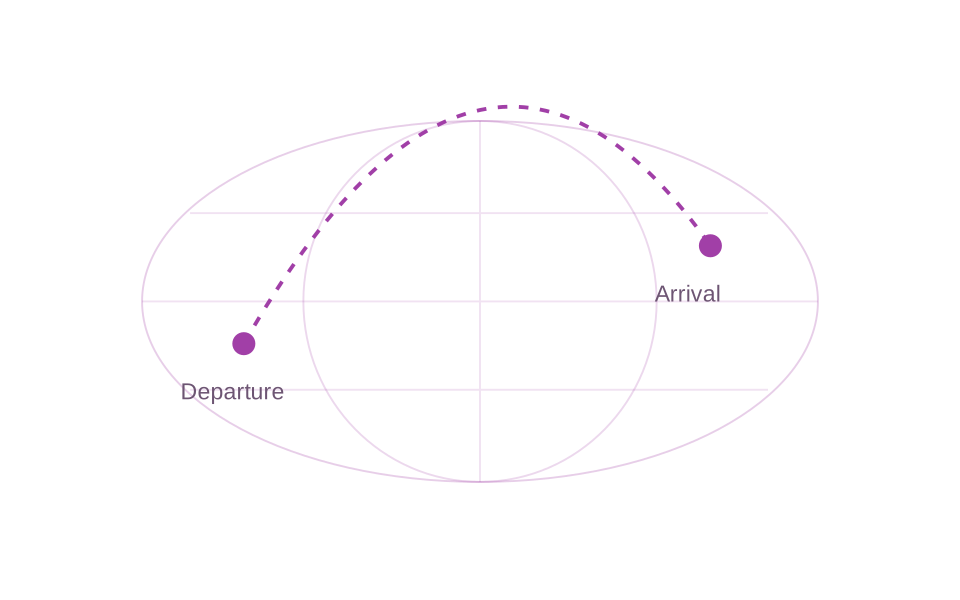
Make the air journey part of your travel story. Flight Route Animation in JJ Route Animator visualises a route between destinations, giving the audience a geographical link between the place you leave and the place you arrive.
Travel videos often move from familiar surroundings to a new country in a single cut. A flight map sequence can make that change easier to follow. It establishes the relationship between the departure and arrival places before the next chapter begins.
The sequence might introduce an international trip, connect footage filmed in different countries or explain how the story moved from one region to another. Its value comes from making the air journey clear, while leaving the destination footage room to tell the rest.
Start by deciding what viewers need to know. Usually that means the place the journey begins, the destination and why this transition matters now. Keep those ideas central to the surrounding narration or on-screen explanation in your edit.
A flight map does not need to carry every detail of the holiday. Let the animated route explain the geographical connection, then use arrival footage to introduce the atmosphere, people and experiences at the destination.
Think about where the sequence belongs in the finished video. Before airport or arrival footage, it can introduce the next destination. Between two travel chapters, it can explain the move from one location to another. At the beginning, it can establish the journey that the audience is about to follow.
Begin with a simple outline for the scene:
- Identify the departure and arrival places relevant to this part of the story.
- Choose where the flight map will sit between your own video clips.
- Decide what the viewer should understand before the next scene starts.
This keeps the map focused. If the wider trip contains several destination chapters, explain the relevant journey where it becomes useful instead of asking one introductory shot to describe the entire travel story.
Consider the contrast between the scenes on either side. A map can bridge a quiet departure and a busy arrival, or give context to a sudden change of landscape. The surrounding edit determines how long the explanation needs to last and when the audience is ready to move on.
Keep place names and the spoken explanation consistent with the journey shown. The map and the narration should reinforce the same connection, so viewers can follow the transition without stopping to work out which destination is coming next.
Flight Route Animation focuses on the air journey. Point-to-Point focuses on moving the camera between selected locations, while Zoom introduces one destination from a wider map view. These are distinct tools for explaining different parts of a travel story.
Choose the flight route when the journey by air matters to the narrative. A camera transition may be more useful when the main task is simply to introduce the next location. Make that choice around the story you want the audience to understand.